Free to play in your browser — no install, no sign-up.
Nonogram
Solve numbers, reveal the picture.
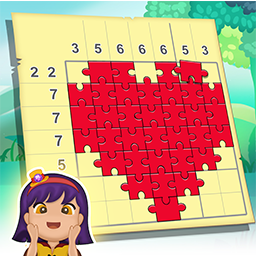
Nonogram - Color Picture Cross is a picture logic puzzle, also known as picross or griddlers. The numbers beside each row and above each column tell you how many squares in that line are filled, and in what groups. Work out which squares to paint and a hidden picture slowly takes shape.

Game overview
What is Nonogram?
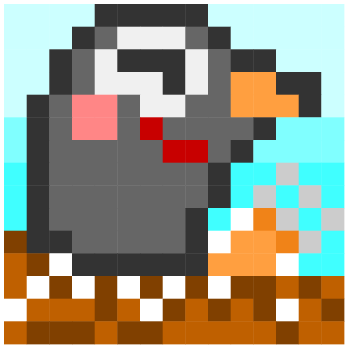
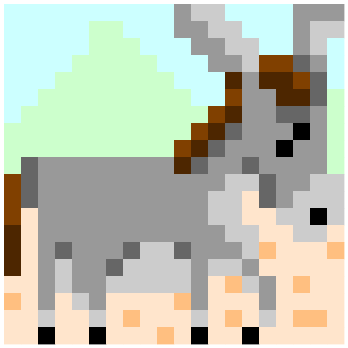
When you finish, the black-and-white solution turns into a full-color artwork. Every picture you solve is saved to your gallery, and the finish screen replays how you filled it in, then lets you save the picture or share it as an image. It is logic, not arithmetic, so anyone can pick it up.
At a glance
- Each number is a run of filled squares in that row or column.
- Several numbers mean several runs, in that order, with at least one empty square between them.
- Paint the squares you are sure of and mark the ones that must stay empty.
- Complete every row and column to reveal the picture in color.
Reading the clues
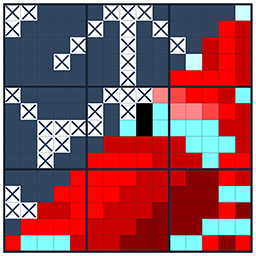
Each puzzle is a square grid with numbers along the left side and across the top. A number is a run of filled squares in that row or column. When a line has several numbers, the runs appear in that order, with at least one empty square between them. A row marked 4 2, for example, has a run of four, a gap, and then a run of two. Fill every row and column so that it matches its numbers, and the hidden picture appears.
The puzzles never need guesswork if you read the lines carefully, and the step-by-step guides further down this page show how experienced players do it. This page is about the game itself: the tools, the puzzle sets and what happens when a picture is finished.
The four tools
A row of buttons under the board switches between four tools, and the one you pick stays active until you change it.
pinch with two fingers to enlarge the board up to twice its size, and drag to move around. Handy on 20x20 puzzles.
tap a square to fill it. Drag to fill several in one stroke. A stroke stays on the row or column it started in, so a shaky finger will not spill into the next line. Starting on a filled square erases instead.
marks a square that must stay empty. It works the same way as painting, but it never removes a square you have already filled.
tap a square and the game fills it or marks it with X, whichever is correct, and locks it. Each use costs one hint.
The arrow button at the top takes back your moves one at a time, and the button on the other side pauses the game. While you touch the board, the row and column under your finger are highlighted in their clue boxes. A clue box changes look when its line matches the numbers, and it warns you when a line already holds a run longer than its clues allow. There are no hearts and no timer. The counter at the top shows how many squares you have filled out of the number in the picture, and it turns pink if you go over.

Puzzle sets
The game has 525 picture puzzles in three sets, and every puzzle has a name that you see once it is solved.
300 puzzles on a 10x10 grid.
150 puzzles on a 15x15 grid.
75 puzzles on a 20x20 grid.
Each set is played in order and remembers its own place. If you leave in the middle of a puzzle, your filled squares are saved, and next time you can choose to continue or start that puzzle again. Two small 5x5 tutorial puzzles walk you through the basics when you first open the game.
When the picture is done
As soon as the last line matches, color spreads out from the square you filled last and the black and white grid turns into a full-color pixel picture. The finish screen then replays your solve, square by square in the order you filled them, before the colors fill in again. From there you can save the picture to your phone or share it as an image, then go home or straight on to the next puzzle.
Every solved picture goes into your Collection, sorted into Simple, Normal and Hard tabs, and you can open any of them to play it again.


Hints and the daily gift
Once a day the game offers a Daily Hint: take one hint, or watch a short ad to get three instead. You can also watch an ad in the shop for one more hint, or buy packs of 10, 50 or 100. The game is free and shows a video ad now and then when you start a puzzle.
Tips for new players
The 10x10 puzzles are a quick way to learn the tools and how the clue boxes react before you move to bigger grids.
X marks cost nothing. On big puzzles, the empty squares are just as useful as the filled ones when you read a line.
On 20x20 puzzles the squares are small. Zoom in so each tap lands where you mean it to, then zoom out to check the whole picture.
If it turns pink, you have filled more squares than the picture has, so something is wrong. Use the undo button to step back.
A hint fixes one square for certain. It is most useful late in a puzzle, when one square is all you need to finish a stubborn area.
Step by step
Guides for Nonogram
Each guide takes one real board from the game and solves it move by move, with a picture for every step.

Why players come back
Features
- Easy to learn, great brain training for kids and adults
- No time limit - your progress is saved so you can continue later
- Color artworks collected in your own gallery
- Available on the App Store and Google Play
Common questions
Frequently asked questions
Is Nonogram free?
Yes. It is free to download on the App Store and Google Play. It shows ads at some points and offers optional hint packs.
Is this the same as picross or griddlers?
Yes. Nonogram, picross, griddlers and paint by numbers logic are all names for the same kind of picture logic puzzle. Here every solved puzzle also turns into a color picture.
Do mistakes cost anything?
No. There are no hearts or timers. The game does not mark single wrong squares, but the clue boxes and the counter help you notice when a line cannot be right.
Can I keep the pictures I make?
Yes. Finished pictures stay in your Collection, and the finish screen lets you save each one to your phone or share it as an image.
Which languages are supported?
The game menus are in English and Korean. On a phone set to Korean the game appears in Korean, and on any other language it uses English.