The Magic Brush
Paint the logic, find the pixel art.
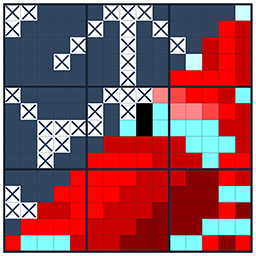
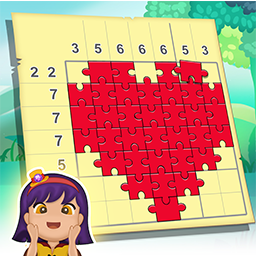
The Magic Brush is a nonogram (picross) game. Paint squares on the grid according to the number clues and a hidden pixel picture appears. Then Joyce, the fairy of the brush, works her magic and turns your picture into a finished artwork.

Game overview
What is The Magic Brush?
There are more than 1,900 picture stages grouped into episodes. Home holds the standard pictures, and Studio, which opens later, holds larger and harder ones. Each stage can be played three ways: the one and two star modes are smaller parts of the picture, and the three star mode is the whole thing.
At a glance
- Each number shows a run of painted squares in that row or column.
- Paint the squares you can prove and mark the ones that must stay empty.
- Solve the whole grid to reveal the hidden picture.
- Paint carefully: a wrong square costs one of your three pots of paint.
Paint by logic
The Magic Brush is a nonogram, a picture logic puzzle also known as picross or griddlers. Every stage is a grid with numbers along the rows and columns. Each number is the length of a run of painted squares in that line, the runs appear in the order given, and at least one empty square separates them. Work out which squares must be painted and which must stay empty, and a hidden picture appears.
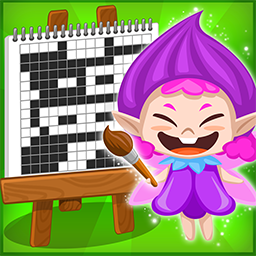
Your guide is Joyce, the fairy of the brush. She introduces herself in the tutorial, cheers you on when a picture is finished and steps in with advice when you run short of paint. Once you clear a stage, her brush magic paints a drawing of that picture onto the easel of the episode you are playing, so every episode slowly fills up into a complete illustration.
Controls and paint
Pick the check button to paint squares or the X button to mark squares that must stay empty.
Tap one square, or drag along a row or column to paint or mark several in one move.
When a line is complete, its numbers turn grey so you know you can stop looking at it.
On a computer, the left mouse button paints and the right button places an X.
Painting is checked the moment you do it. A correct square stays painted. A wrong one is marked as a mistake and costs you one pot of paint, and you start each stage with three. Lose all three and the stage fails, unless you buy two extra pots to keep going. X marks are never checked, so you can use them as freely as you like.
Home, Studio and three ways to play a stage
The village screen has two houses. Home, with the red roof, holds 980 stages in 50 episodes, and its pictures range from 5 by 5 up to 15 by 15. Studio, with the blue roof, holds 955 stages in 48 episodes with larger pictures from 11 by 11 up to 20 by 20, most of them 15 by 15. Studio is locked at first and opens later in your progress. Together that is more than 1,900 pictures.
Each stage can be played three ways, marked with one, two or three stars. The one and two star modes cut out part of the picture and give you a smaller, quicker puzzle. The three star mode is the whole picture. If you clear a smaller mode first, a few squares of the full picture are already revealed when you take on the three star version, so working up through the modes is an easy way into big grids.
The stars also decide how your drawing looks on the easel. A one star clear adds a dark silhouette, two stars a black and white drawing, and three stars the full color version. Finish every stage of an episode and you can share the finished scene as My Artwork.


Brushes, keys and items
Brushes are your lives. You need one to start a stage, quitting a stage costs one, and a new brush arrives every 30 minutes. New episodes open with golden keys. Three keys open an episode, and a free key comes every 20 hours. Items help with tough spots: the Dropper reveals one square, the Row Spray and the Column Roller reveal a whole row or column, the Stamp reveals a 3x3 area and the Time Freezer stops the clock for 30 seconds. Before a stage you can also take a Random Viewer, which reveals three random squares, or a Paint Tube for two extra pots of paint.
Tips for your first pictures
In a 10 square line, a 7 always covers the middle four squares no matter where it sits. Look for numbers longer than half the line and paint the overlap first.
X marks are free and never checked. Marking every square you know is empty makes the remaining runs much easier to place.
Every wrong square costs a pot of paint, and three pots go quickly. When you catch yourself guessing, switch to the X button or move to another line.
The smaller modes are short, and clearing them gives you revealed squares in the full picture. On a big Studio grid that head start helps a lot.
Only a three star clear paints your drawing in full color. Revisiting an old stage is a relaxing way to fill in the gaps of an episode's scene.
Why players come back
Features
- More than 1,900 picture stages in Home and Studio
- One, two and three star modes in every stage
- Cleared pictures fill each episode's easel, in full color with three stars
- Available on the App Store and Amazon
Common questions
Frequently asked questions
Is The Magic Brush free?
Yes. It is free to download and play. It shows ads, and gold, items and extra brushes can be bought if you want them.
Do I need an internet connection?
Yes. Stages are loaded from our server when you start them, and your progress is saved to your account there, so the game needs a connection to play.
Are the pictures in color?
Each puzzle is painted in a single color that changes from episode to episode. The drawings that appear on the easel after you clear a stage are full color when you earn three stars.
Is it on Google Play?
Not at the moment. You can get it from the stores linked at the top of this page.
Which languages are supported?
The game is in English.